Shopify theme rebuild · B2B pages · Technical SEO
Nordblooms
Nordblooms is a preserved-flower studio in SoHo, New York. It sells bouquets and vase arrangements online, and designs permanent botanical installations for offices, hotels and lobbies. I have been its Shopify developer, CRO and technical SEO lead since September 2024. In autumn 2026 that meant rebuilding the store’s theme and turning it into a site that sells to businesses as well as gift buyers.
A theme update that kept the pages and dropped the code.
Shopify’s theme updater produced a newer copy of the store’s theme. It kept the templates and settings, and threw away the store’s custom Liquid, CSS and JavaScript. Copying the old files back would have undone the update itself.
So I rebuilt that custom layer on the new base, feature by feature, until the storefront matched the live one. Then I built the business pages, menu, homepage and new catalogue on top. The rebuilt theme went live on October 8, 2026.
Two kinds of buyer, one storefront.
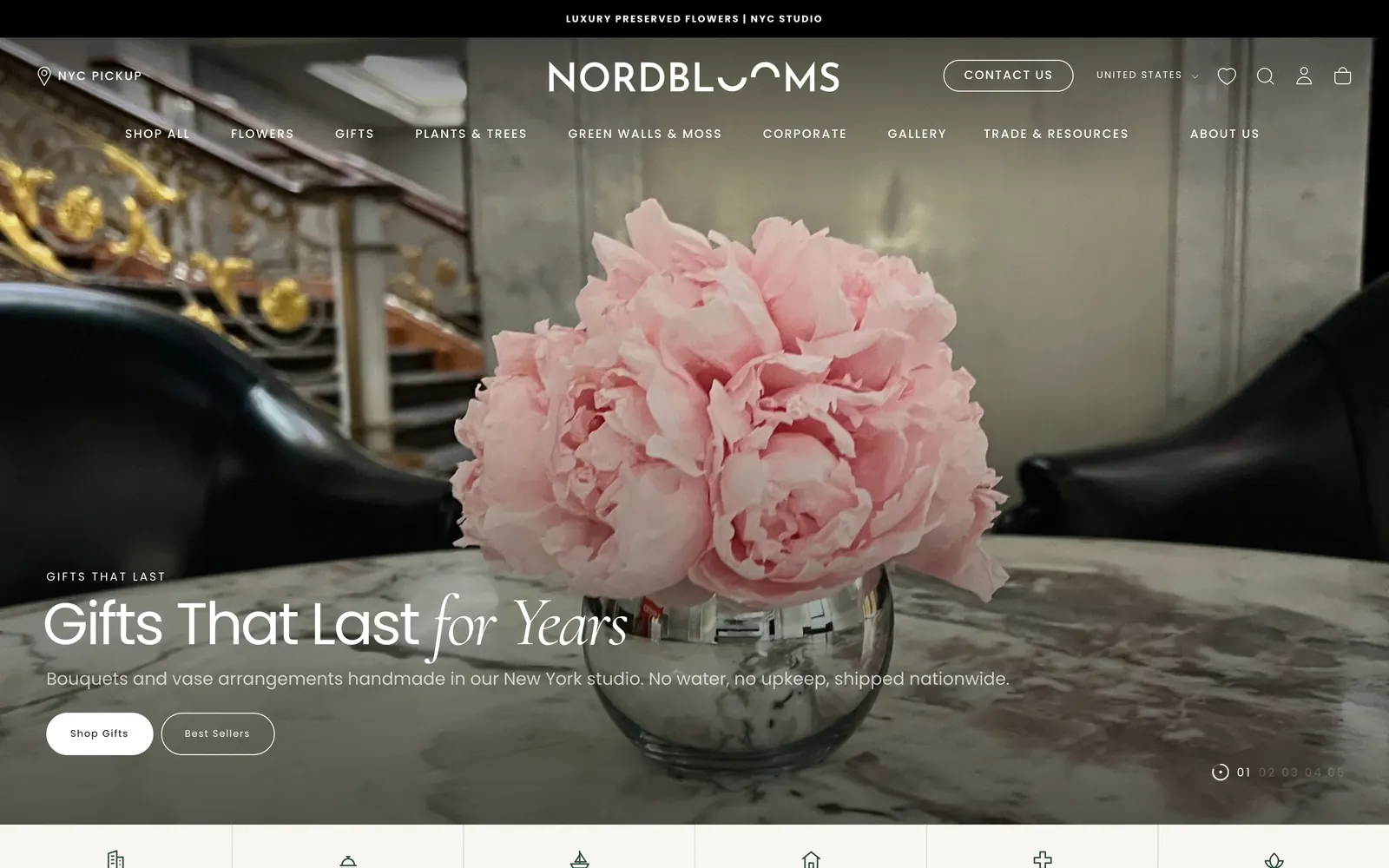
A gift buyer wants a beautiful arrangement, a clear price and a delivery date. A facilities manager or interior designer wants proof of past installations, an idea of scope and a fast way to start a conversation. Nordblooms had to serve both without one experience getting in the way of the other.
The rebuild gave each buyer its own route through the same site. Shop pages stay focused on products. A connected set of business pages, project case studies and enquiry forms leads commercial visitors toward a qualified conversation with the studio.
What I delivered
- The theme’s custom layer, rebuilt cleanly on the new base.
- A page system for industry, service and project pages.
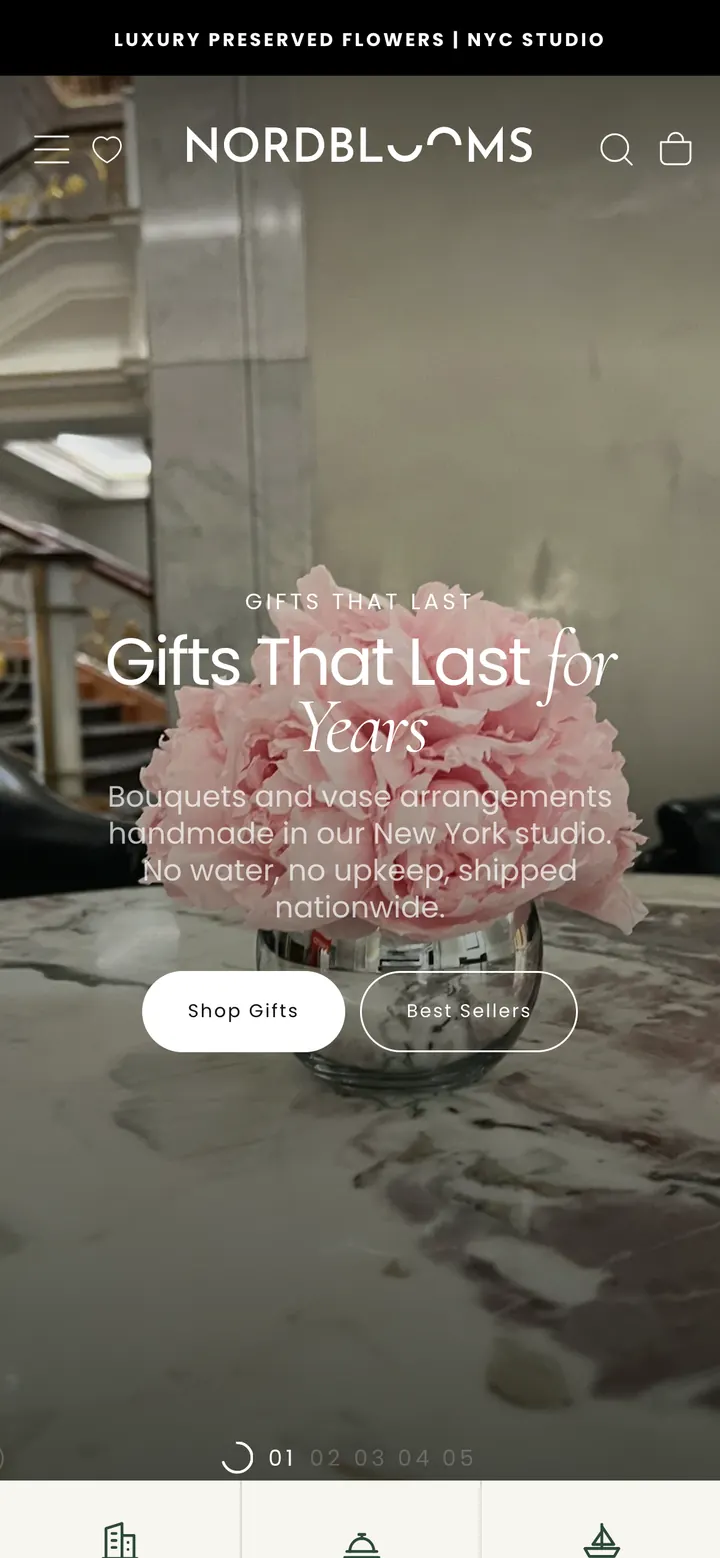
- A new header and mega menu, and a new homepage.
- Enquiry forms that record where every lead came from.
- A vase catalogue and a planter range, imported by script.
- Speed, layout-shift and technical SEO work across the store.
- A sales-led guide format for the blog, with its own checks.
A menu that sends each visitor somewhere useful.
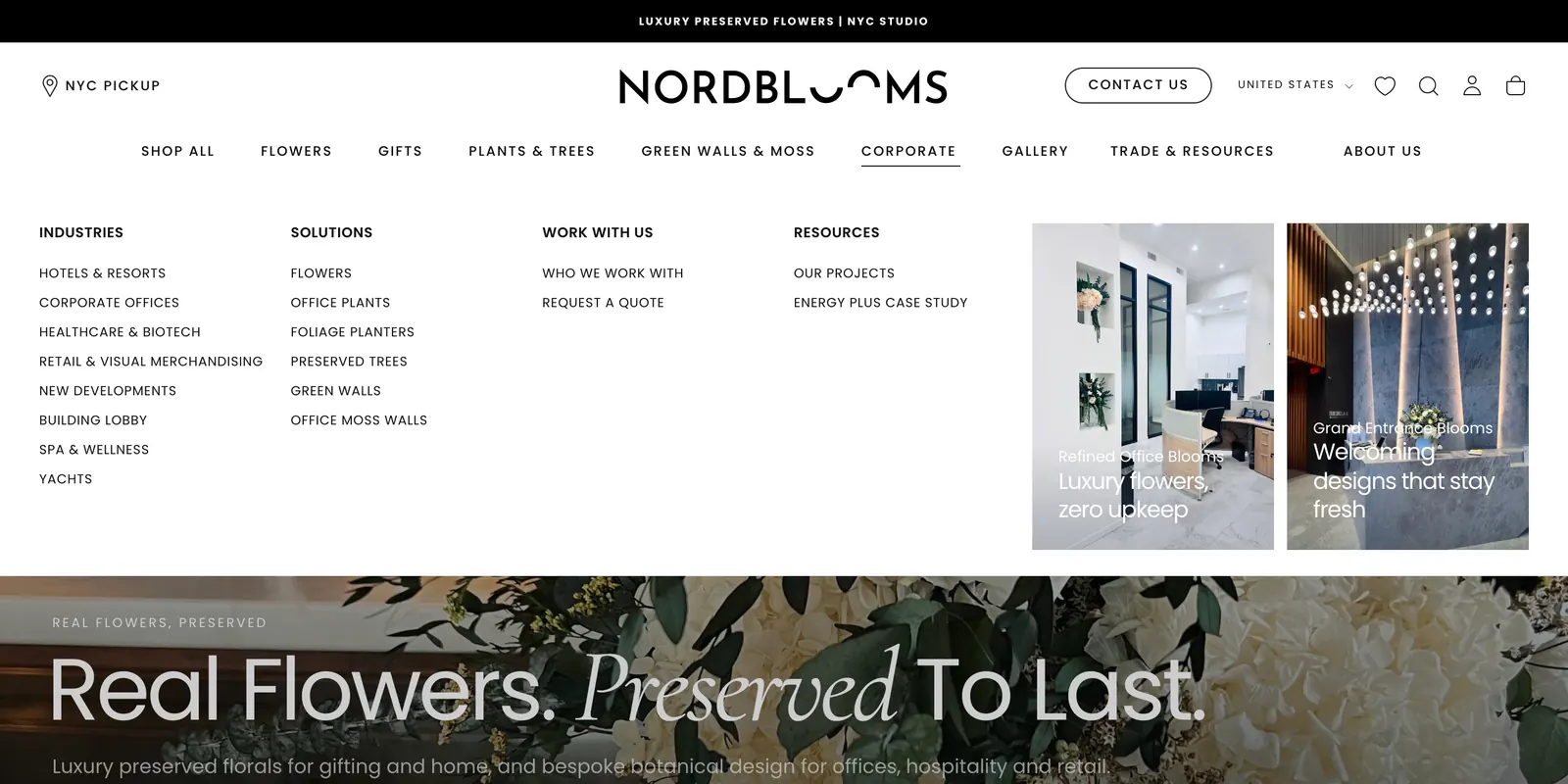
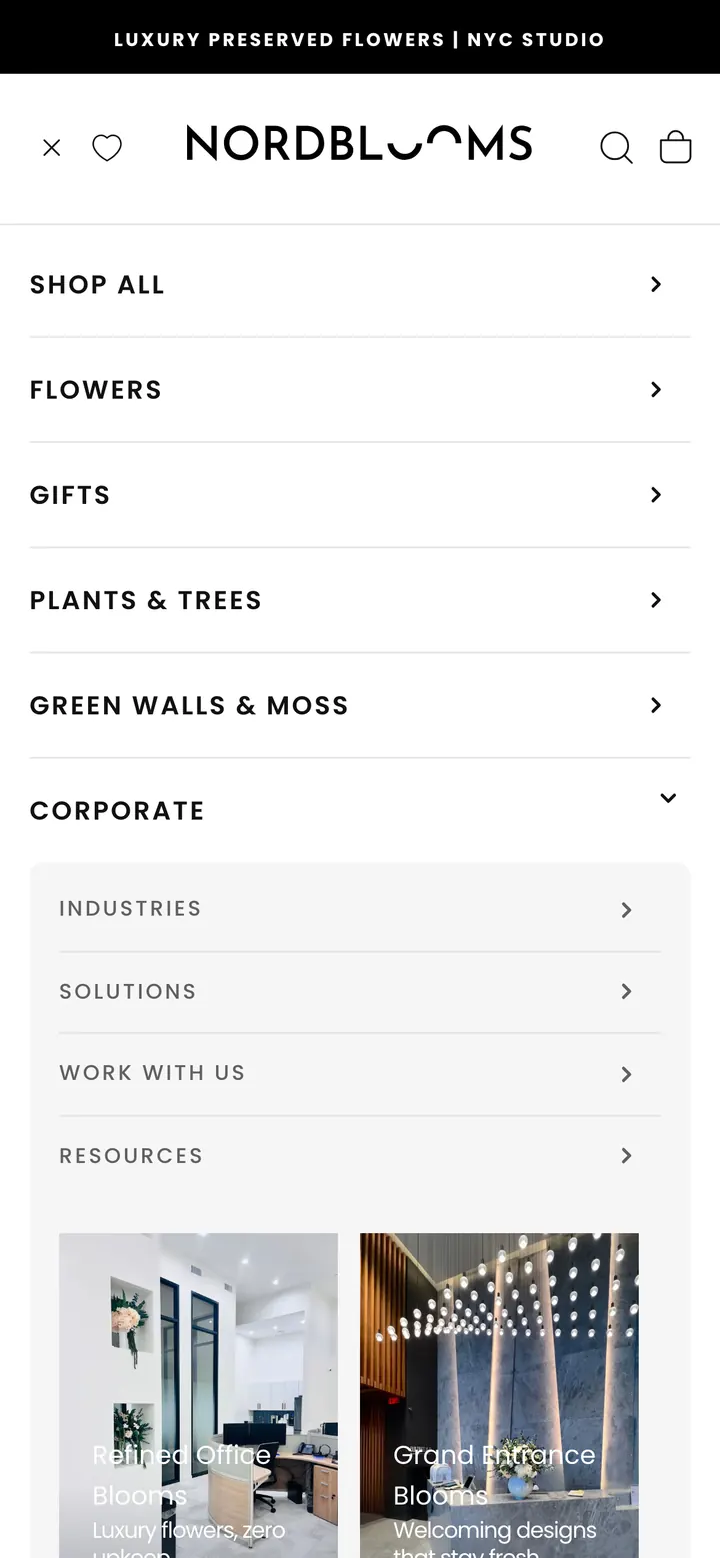
The header now carries nine sections, from flowers and gifts to green walls, corporate work and trade resources. Corporate opens onto industries, solutions and project case studies, and every panel carries image cards. No menu item is left without a destination.
On phones, the drawer gives each level its own look: section, tinted panel, group, link. Shoppers always know how deep they are. Menu changes are made by script with a dry run first, so a new page reaches the header, drawer and footer in one reviewed step.
One kit of sections behind every industry page.
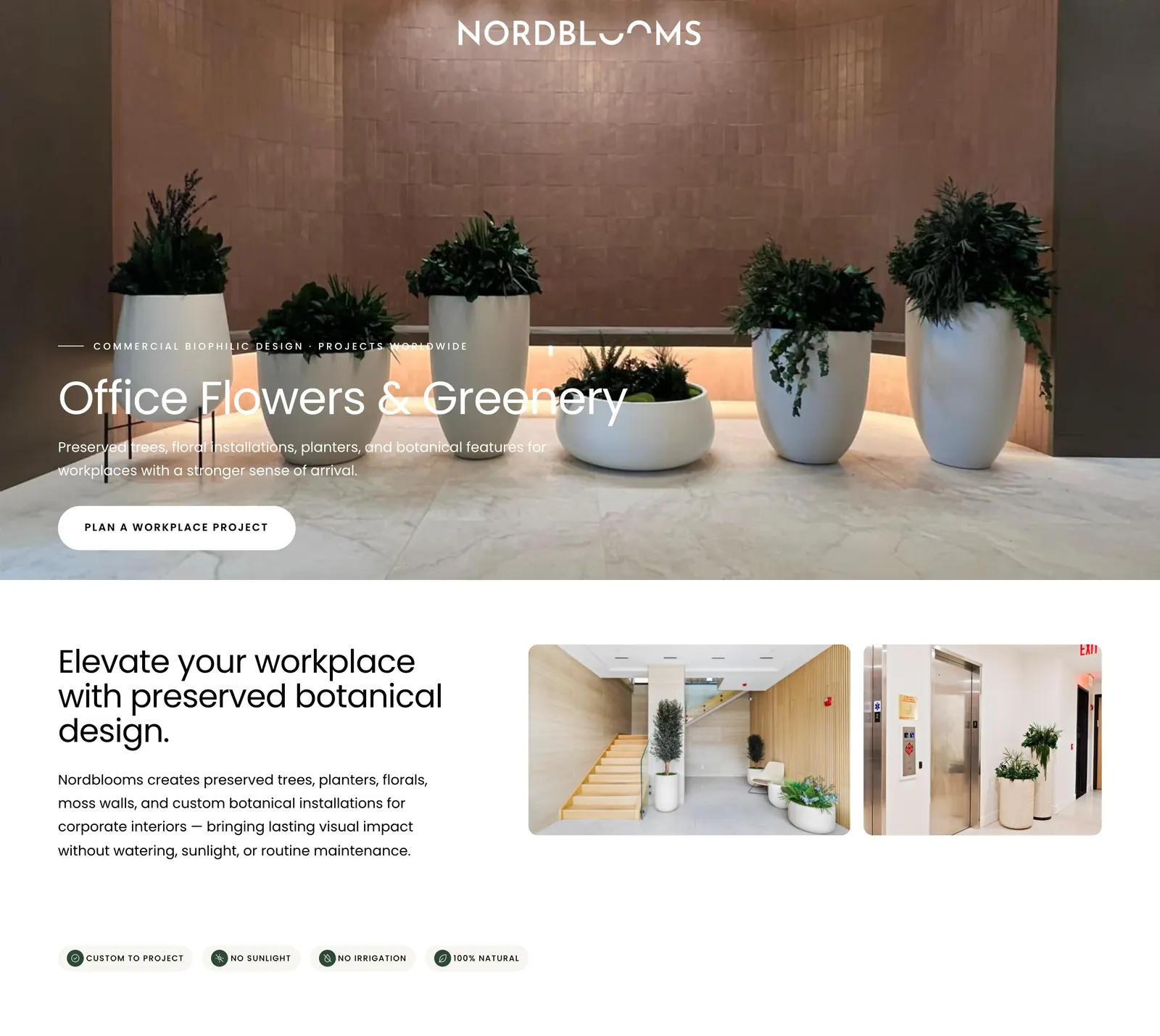
Offices, hotels, building lobbies, retail, healthcare, spa and wellness, yachts, new developments and bespoke residential work each have a page. So do the main solutions: moss walls, preserved trees, office plants, foliage planters and flowers for business.
All of them are built from 24 shared sections with one palette, type scale and button style. Each section is editable in the theme editor, and one setting tightens every section on phones. Where two pages covered the same subject, I merged them onto the URL that already ranked and redirected the other.
Enquiries that arrive with their context.
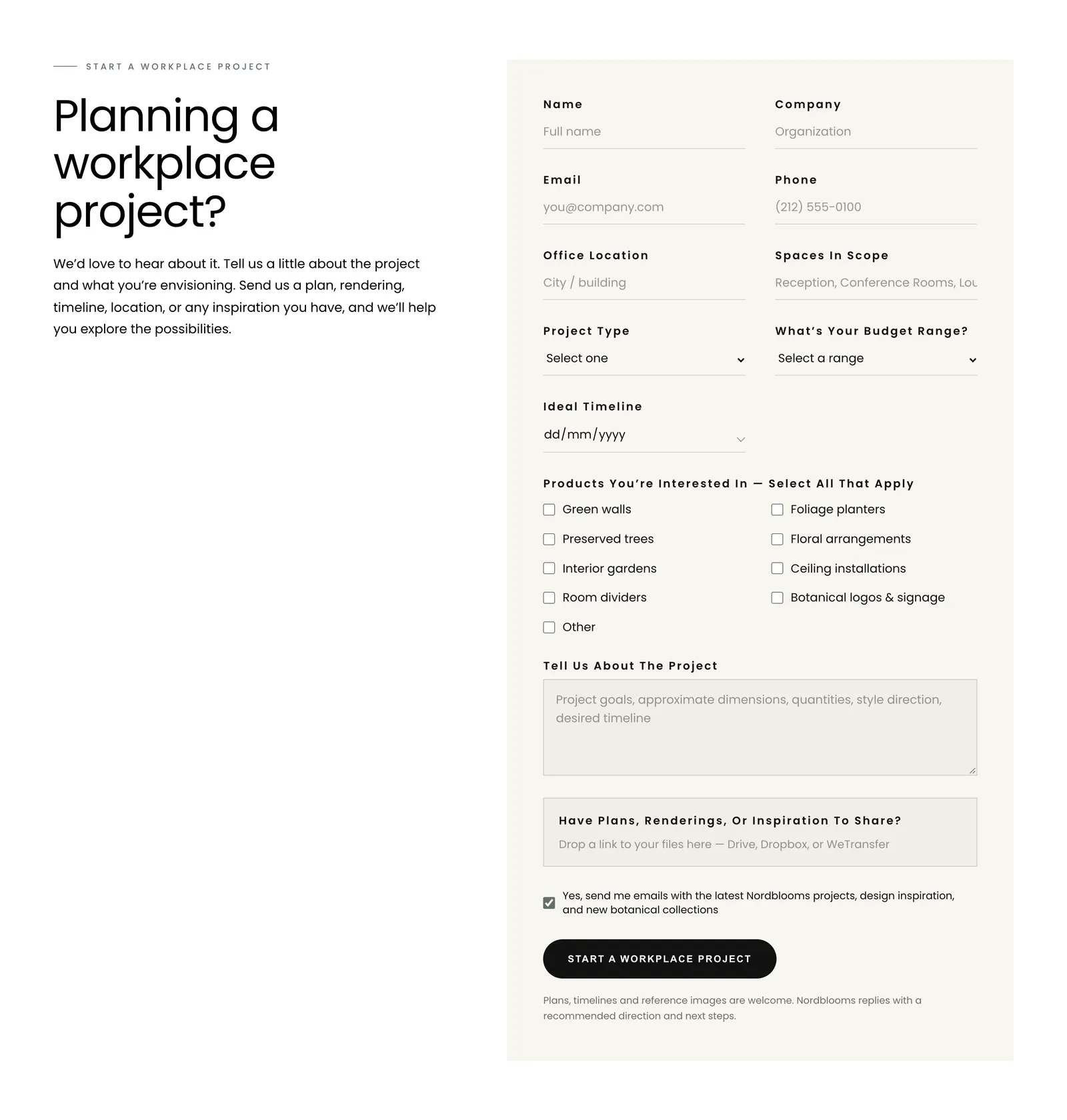
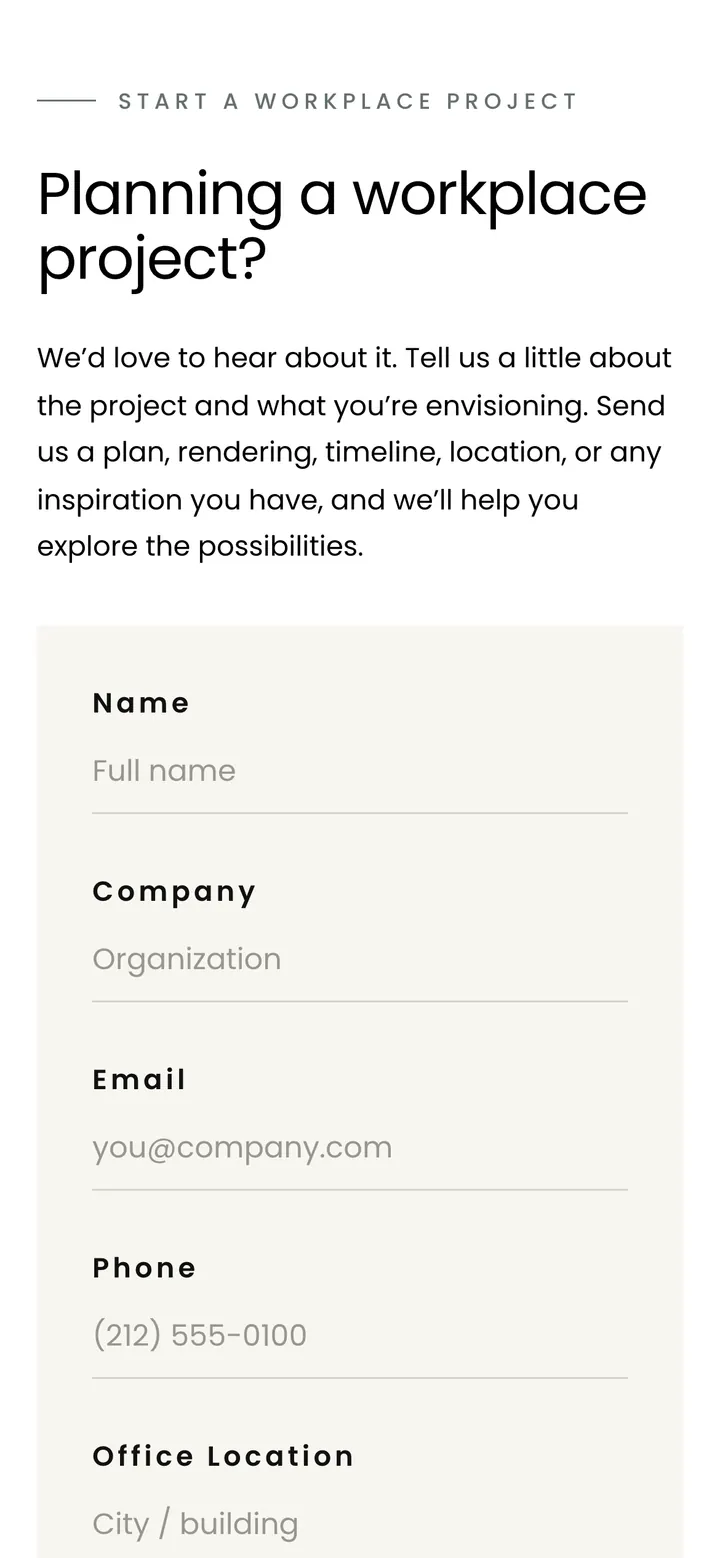
One inquiry form serves every business page, so one change updates them all. It suggests US addresses as you type, and lets the visitor drop a map pin where the free address data misses a Manhattan building. It has its own date picker, and its scope, budget and product options are settings the studio can edit.
Every form now sends the form’s name, the page and its URL with the enquiry. Each accepted submission is also recorded in Klaviyo as an event, without subscribing anyone to marketing. All but one of the old forms on a third-party form service now post through Shopify’s own contact form. Downloadable resources open a short request dialog that keeps working alongside Shopify’s spam challenge.
Project case studies the studio can publish from the theme editor.
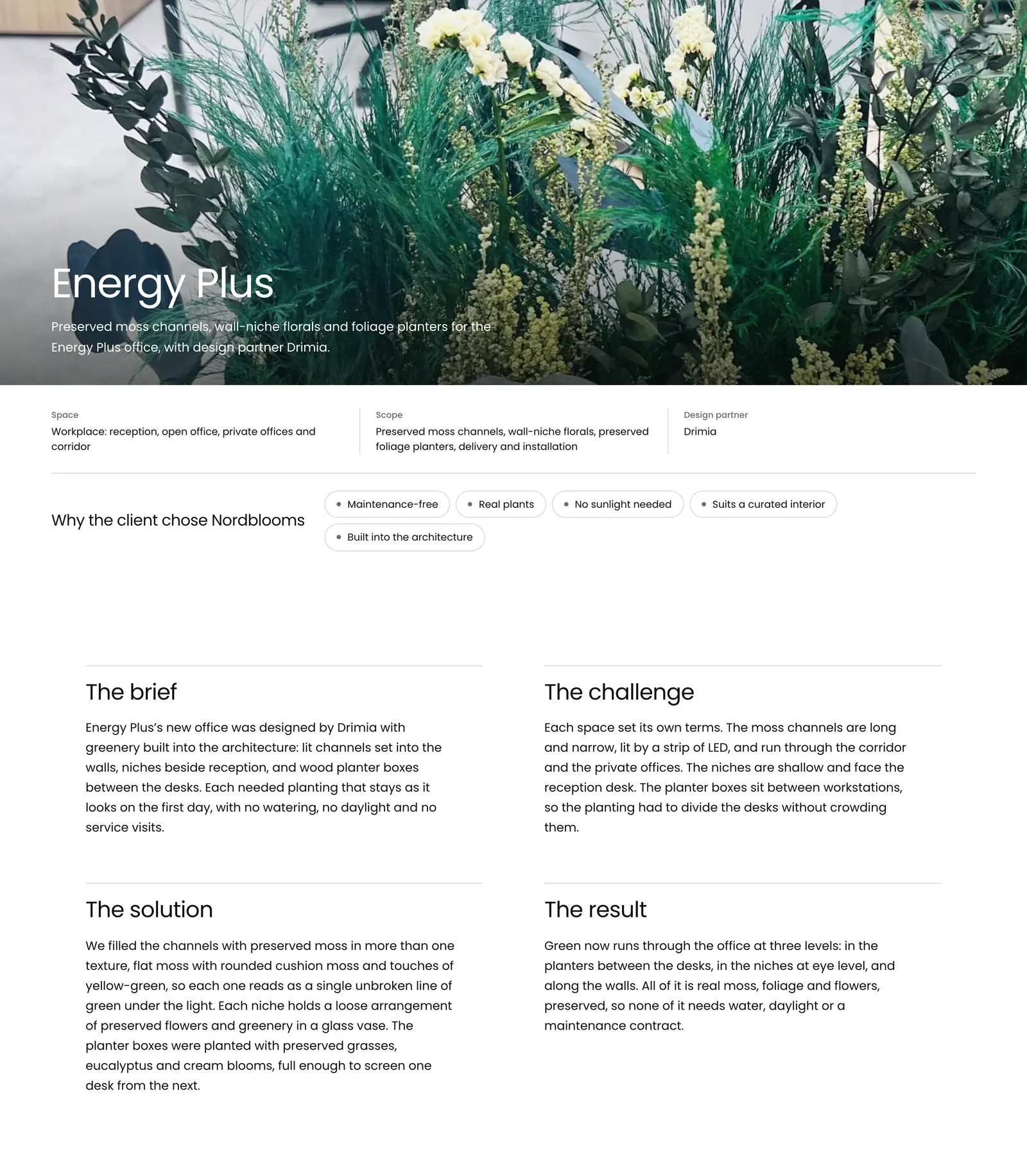
Business buyers want to see finished spaces. Each project gets its own page: an opening photograph, the project facts, the brief in four short passages, then before and after photo sets. A blank template lets the studio start the next one without a developer.
For the Energy Plus office, I prepared the photographs (resized, straightened, location data removed, alt text on each) and wrote the page only from what the photos show.
Built from the studio’s designs, section by section.
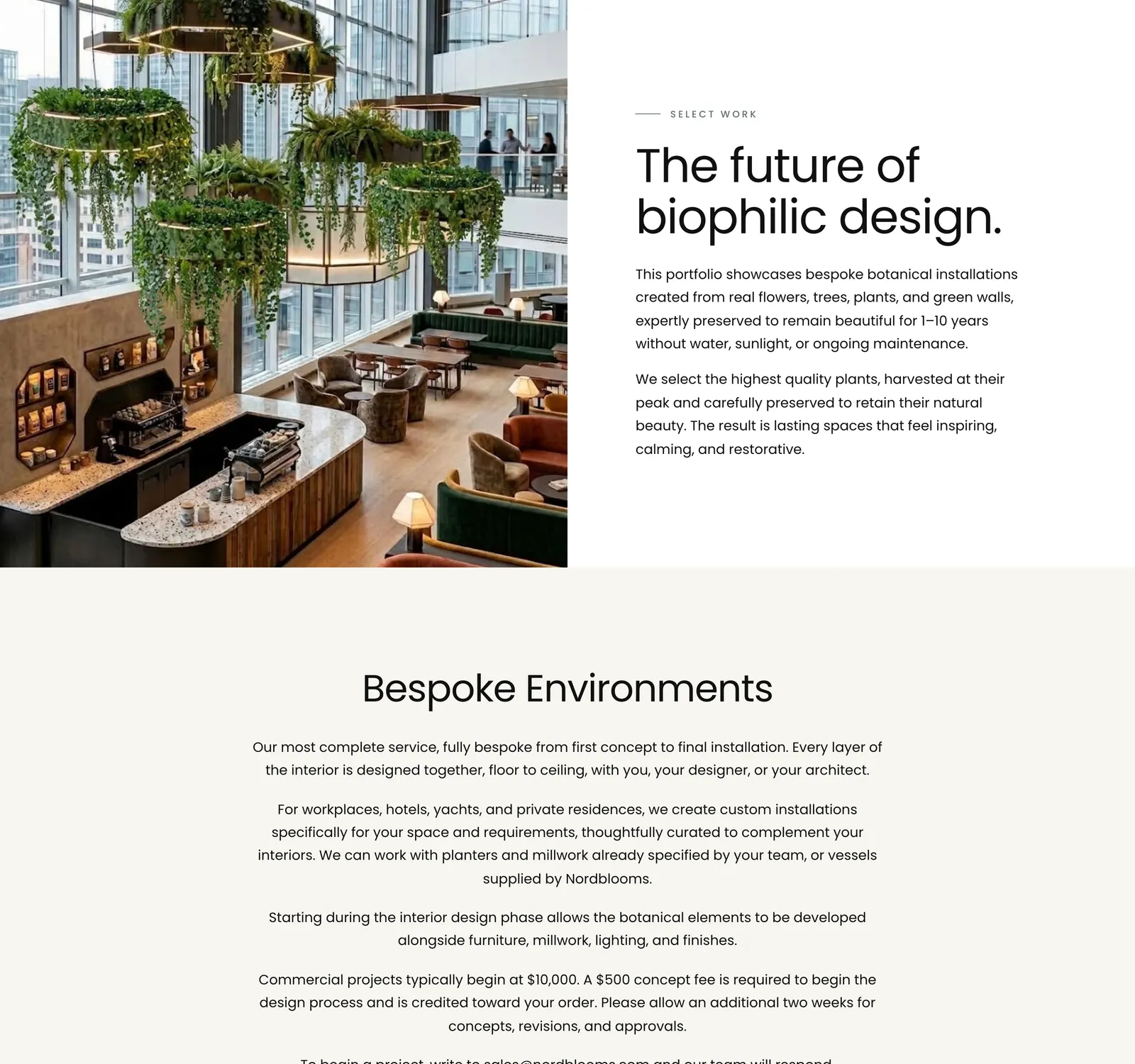
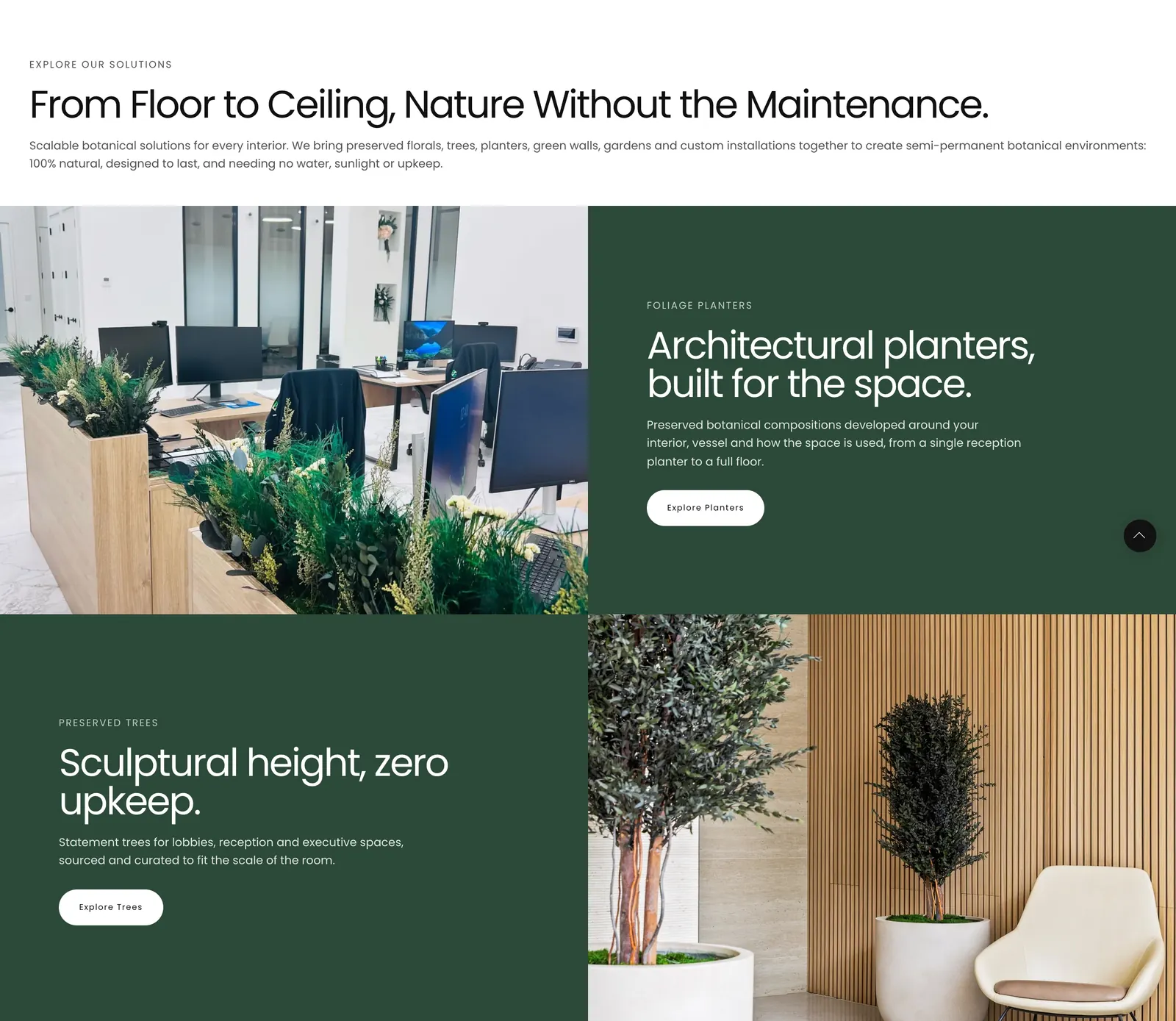
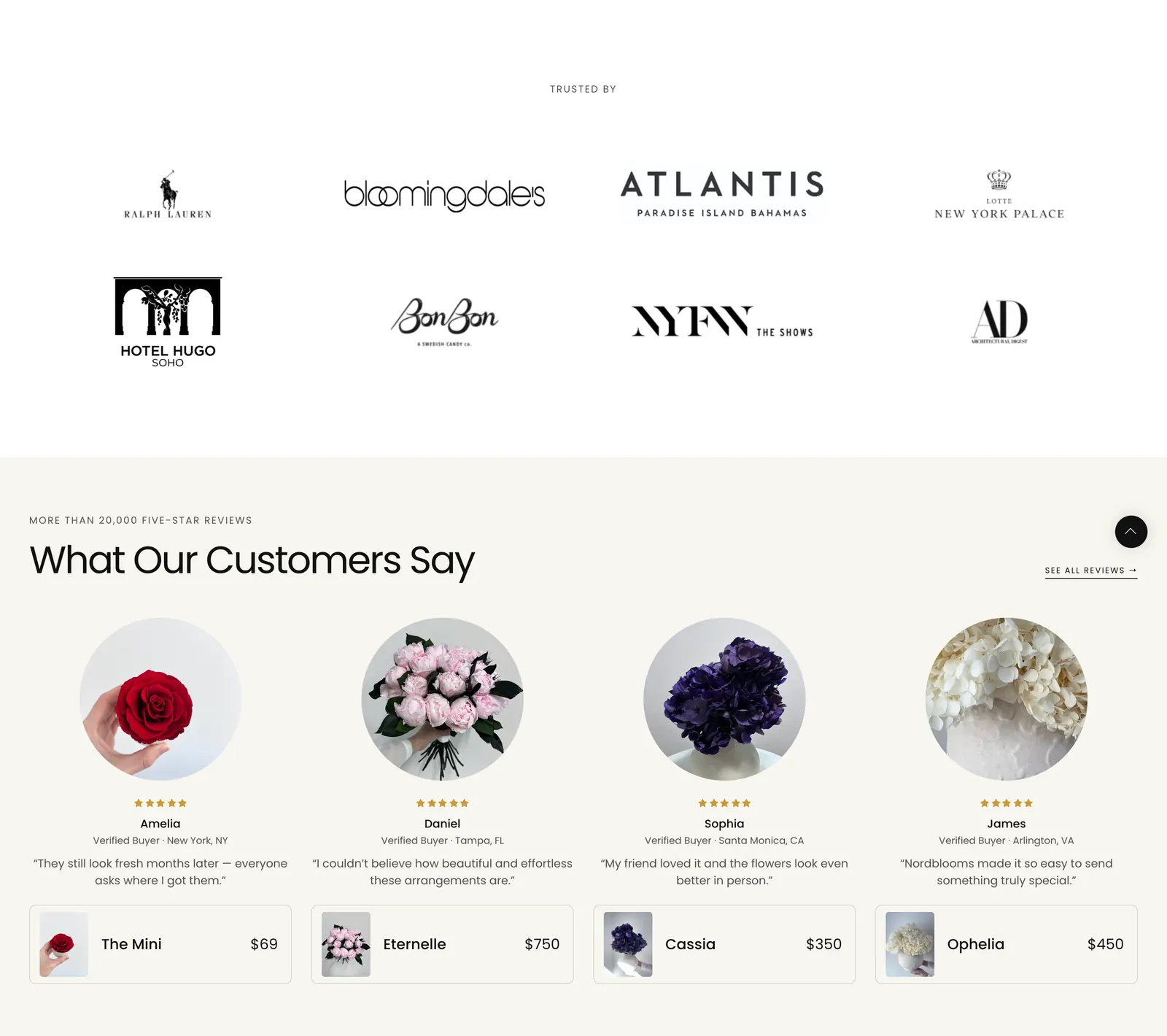
The studio sent each homepage section as two screenshots, the current state and the design. I built it as a set of reusable sections: an industries strip, gift and business split panels, solution rows, press quotes, a logo wall that reserves its height before the logos load, and reviews linked to the product each customer bought.
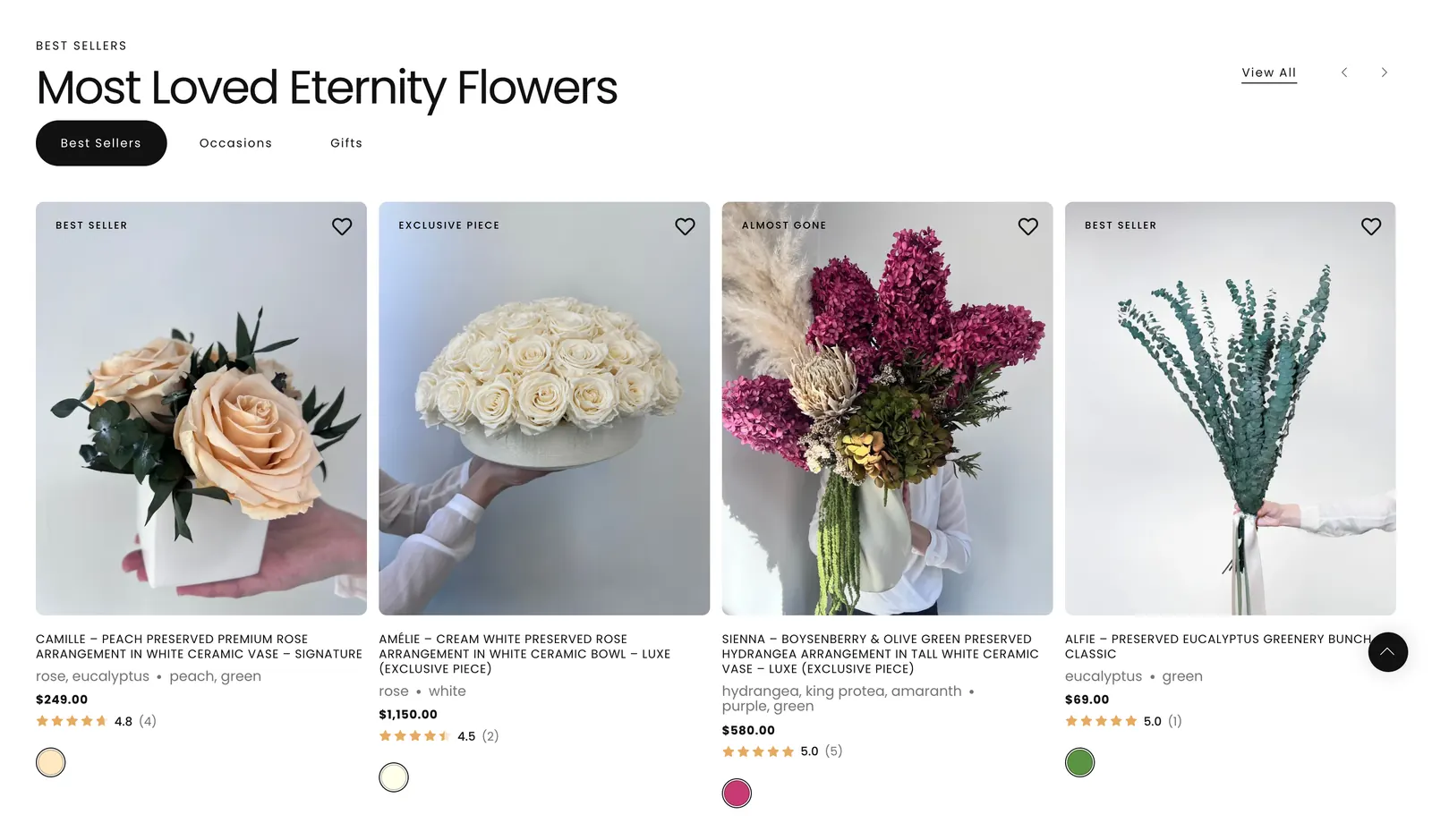
Product cards and pages that answer the next question.
Product cards regained the tag badges and wishlist heart the theme update had dropped. They also gained a star rating read straight from the review data, so nothing loads late or shifts the grid. A sold-out piece no longer turns grey; it offers a Notify me link like any other card.
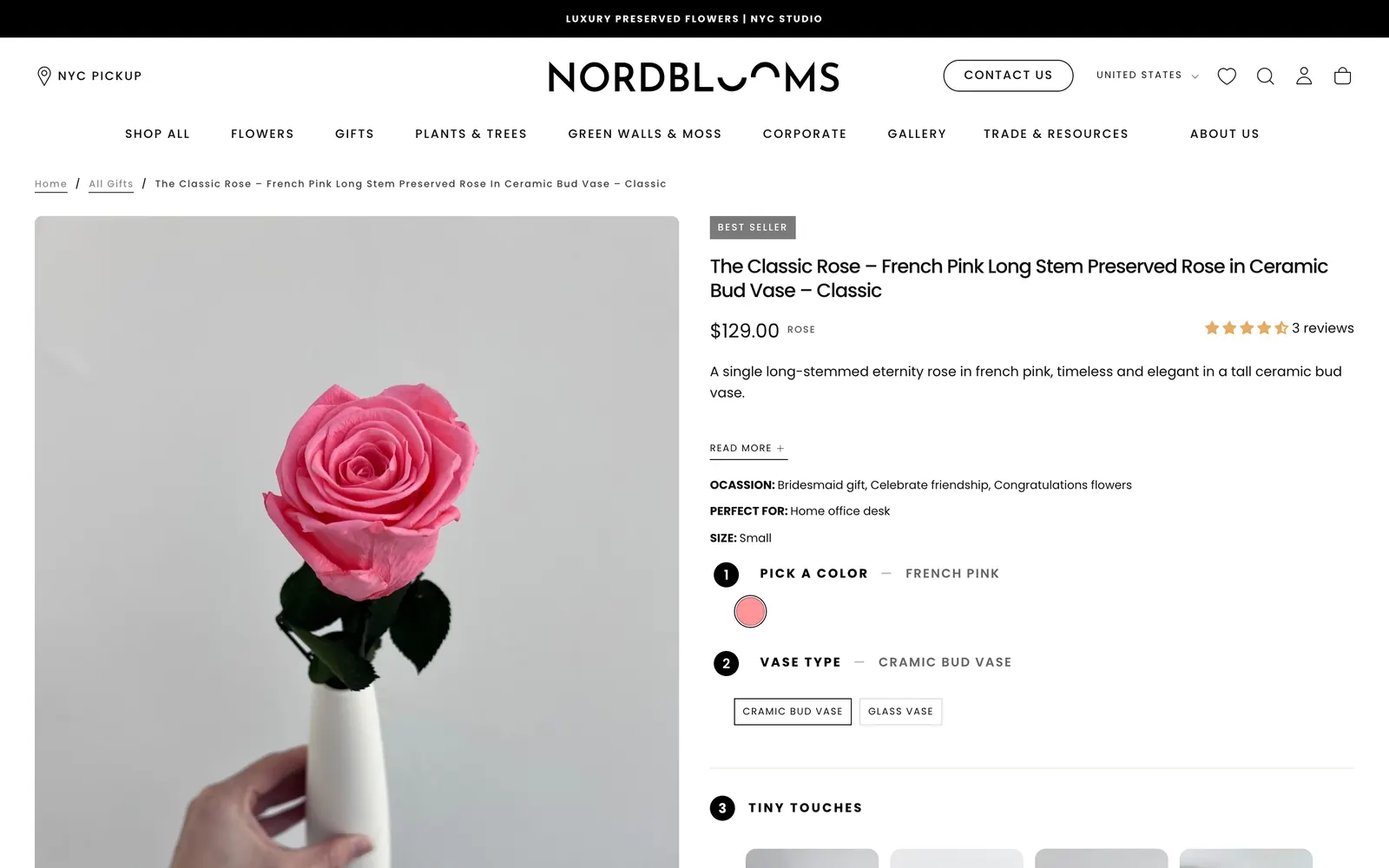
On product pages, numbered steps walk through colour, vase and add-ons. The sticky add-to-cart bar was rebuilt to the studio’s spec on every product template.
113 vases and a planter range, imported by script.
The studio added a range of vases, bowls and sets from a dropship supplier. I imported all 113 with clean handles, SEO titles, 669 image descriptions and product categories. Prices and stock come from the supplier’s data, and every run keeps a record that can be rolled back.
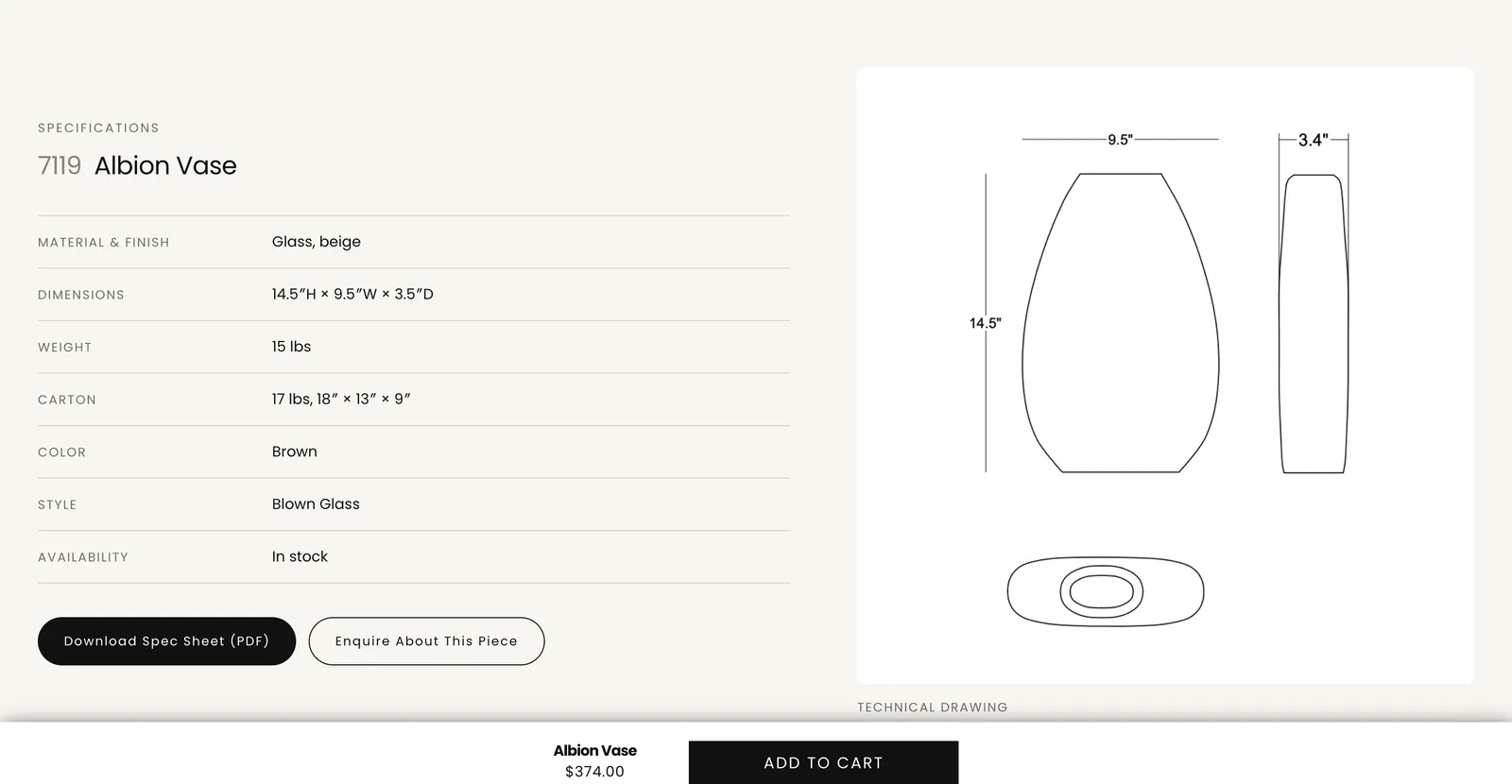
The vase template restates the supplier’s tear sheet as a specification band with the technical drawing and a PDF download. Vases sold in two sizes switch instantly, like a variant. A second range of fiberglass planters followed, with a drainage-hole option carried as a line item property.
Faster pages, and scores that describe what customers load.
The menu photos nobody saw
Fourteen mega-menu card photographs loaded eagerly at full page width: 2.4 MB on every phone visit, for a menu phones never draw. They now load lazily at the size they render, and switch to eager on desktop only once the page is idle, so the menu still opens with its photographs in place.
Originals behind 48px swatches
Variant thumbnails asked for the full-size file, so four 1.5 MB originals filled four finish swatches. Gallery images all loaded eagerly at high priority. Fixing both took a planter page from 13.8 MB to 5.3 MB and its Largest Contentful Paint from 4.3 s to 1.6 s on a phone.
Layout shift, site-wide
Search Console flagged 129 desktop URLs for layout shift. The causes were structural: a header height measured late, CSS streamed after its markup, sliders sized only by JavaScript. Shop All went from a CLS of 0.700 to 0.002, and the report moved to 135 good URLs and none poor.
Video off the first load
Autoplaying section videos downloaded with the page wherever they sat. Below the first section they now wait until they are about to scroll into view: 5.9 MB off the homepage and 6.7 MB off every flower product page.
Removing a fake score
The previous theme carried obfuscated scripts that switched off images and scripts for speed-testing tools, plus an invisible full-width glyph to game Largest Contentful Paint. I removed them. Real visitors get a faster store, and the scores now describe what customers actually load.
Measured, not assumed
Every change was checked in headless Chrome against the page before it: weight per resource type, CLS while scrolling, and the settled layout compared rectangle by rectangle, so a speed fix could not quietly change the design.
Making the store readable to Google and to shopping listings.
Content Google could not see
Four sections printed collection headings and descriptions through document.write, and only for non-Linux browsers. The raw HTML, and Linux crawlers, saw none of it. The gate is gone, so collection pages now serve their heading and copy in the HTML.
Structured data that agrees with itself
One brand entity for the whole site, breadcrumbs on every page, Service markup on the business pages and corrected article dates. Review stars broke when two ratings landed on one product, so the theme now leaves the rating to the review app.
Shopping listings
Variant descriptions, availability and condition tags, and corrected Google product categories. Merchant Center approves 368 of 370 products, and a free shipping claim that did not match the checkout was removed from the product markup.
Every product photo described
An app had stamped the product title onto 350 of the 379 product images as alt text, and 29 had none. Each photograph now has a description written from the image itself, and the gallery template no longer overwrites it.
Links that go somewhere
97 broken links repaired across 45 blog articles (43 of them pointed at Google search result pages) and more than 45 redirects for dead URLs. Duplicate service pages were merged onto the URL that already ranked, with permanent redirects from the rest.
Metadata and indexing
New titles and descriptions across dozens of collections, articles and pages, the first sitemap the store ever submitted, noindex on search, cart and empty collections, and feeds kept out of the crawl.
Gift guides written to sell, and checked before they publish.
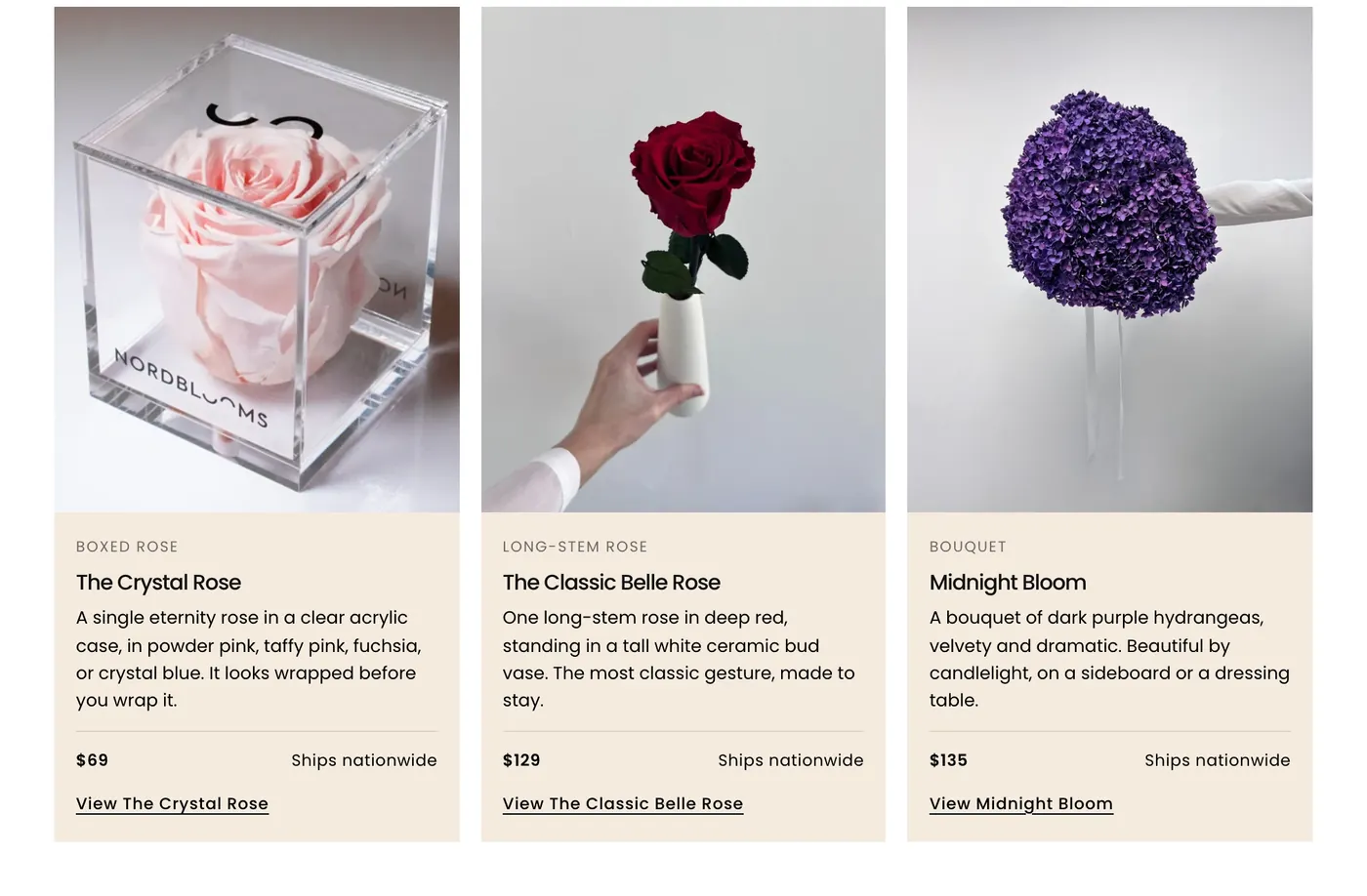
The studio wanted blog posts that sell high-end pieces around real occasions. I designed a guide format with a contents box, stat tiles, comparison tables, product cards with live prices, order-by deadlines and a FAQ with matching structured data. Each guide is built from one source file and published on a schedule.
Before a guide publishes, a script checks every link against the store, every printed price against the live one, and how much text it shares with the other guides. A product is only featured after the checkout confirms it actually ships nationwide.
Checked at phone widths, in Chrome and in Safari’s engine.
Chrome’s phone emulation is not an iPhone. Layouts that only break in Safari were reproduced in WebKit and fixed there, like a featured photograph that collapsed to zero height on every iPhone and iPad.
How I worked
- One item at a time: build it, push it, compare it with the live page in the browser, commit it.
- A fix is done when the measurements match, not when the CSS looks right.
- Every catalogue or SEO write keeps a before-image, so any run can be rolled back.
- The studio edits pages in the theme editor daily, so I pull before working and never overwrite their edits.
- Facts only the studio can give stay in brackets on a draft page. Nothing is invented for a client page.
A live store, edited every day, changed without surprises.
Nordblooms is trading while all of this happens, and the studio edits its own pages. The work had to be invisible except where it was meant to show. Speed and SEO changes were proven to leave the layout untouched, and every bulk change kept a way back. The studio’s AI shopping concierge has its own write-up in the Dahlia AI case study.
“Saad handled everything from Shopify store development and creating custom sections that are easily editable, to improving site speed, basic SEO, product uploads, and meta object creation.”
The tools behind the work.
- Shopify Online Store 2.0
- Liquid
- Theme sections & blocks
- Vanilla JavaScript
- CSS
- Admin GraphQL API
- Storefront API
- Node.js scripts
- Puppeteer
- Playwright (WebKit)
- Klaviyo
- Leaflet
- Search Console
- Merchant Center
- Schema.org